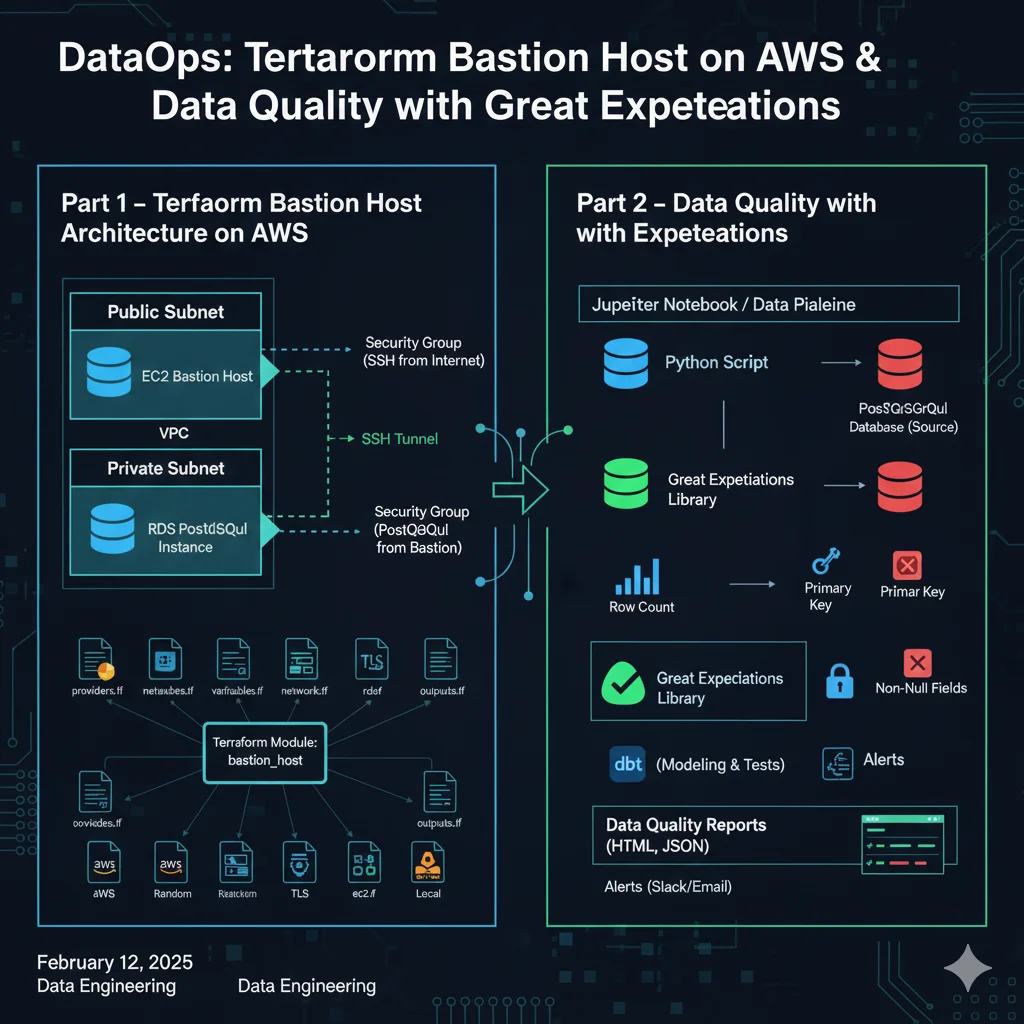
Overview
This project combines infrastructure as code and data quality engineering:
- Terraform-based bastion host architecture on AWS
- Automated data quality checks with Great Expectations on PostgreSQL
The focus is on secure access to data systems, reproducible infrastructure, and data observability.
Part 1 – Terraform Bastion Host Architecture on AWS
I used Terraform to provision a secure bastion-host setup that exposes controlled SSH access to a private RDS database.
Architecture
- VPC with:
- Public subnet – hosts a bastion EC2 instance.
- Private subnets – host an RDS PostgreSQL instance.
- Bastion host (EC2):
- Publicly reachable, acts as a jump server.
- Uses SSH key pairs for secure access.
- RDS PostgreSQL:
- Deployed in private subnets.
- Only accessible from the bastion host’s security group.
VPC and subnet resources are created upstream (e.g. via CloudFormation) and consumed in Terraform as data sources.
Terraform module structure
I organized the configuration as a module called bastion_host, with separate files for clarity:
providers.tfvariables.tfnetwork.tfrds.tfec2.tfoutputs.tf
Terraform automatically combines these files into a single configuration at plan/apply time.
Providers
Used multiple providers:
aws– core AWS resources (VPC data, EC2, RDS, security groups).random– generate a random suffix for the database password.tls– create an SSH key pair (public/private).local– write the private key file to disk.
Network configuration
- Data sources for:
- Existing VPC
- Public and private subnets (IDs taken from a CloudFormation stack’s
Outputs).
- Security groups:
- Bastion SG:
- Inbound: SSH (port 22) from the public internet (or a restricted IP range).
- RDS SG:
- Inbound: PostgreSQL (port 5432) only from the bastion SG.
- Bastion SG:
These resources are referenced by the RDS and EC2 configurations.
RDS configuration
In rds.tf:
random_idresource to generate a password suffix.aws_db_subnet_groupwith two private subnets (preparing for Multi-AZ).aws_db_instancewith:- Engine: PostgreSQL
- Instance type, storage size, parameter group
- Subnet group and security group IDs
- Port
5432 - Username from variables
- Password derived from
random_id
EC2 + SSH configuration
In ec2.tf:
tls_private_key– generates an SSH key pair.local_file– stores the private key content locally so it can be used in SSH.aws_key_pair– registers the public key with AWS.aws_instance– bastion host configured with:- AMI
- Instance type
- Public subnet ID
- Bastion security group ID
key_namefrom the registered key pair.